

As an Android developer, you work with Context daily. But have you ever wondered what Context actually is and why it’s essential? Let's dive into some common scenarios and break them down together.
Accessing String Resources
Imagine you've added a string in your resources file like this:
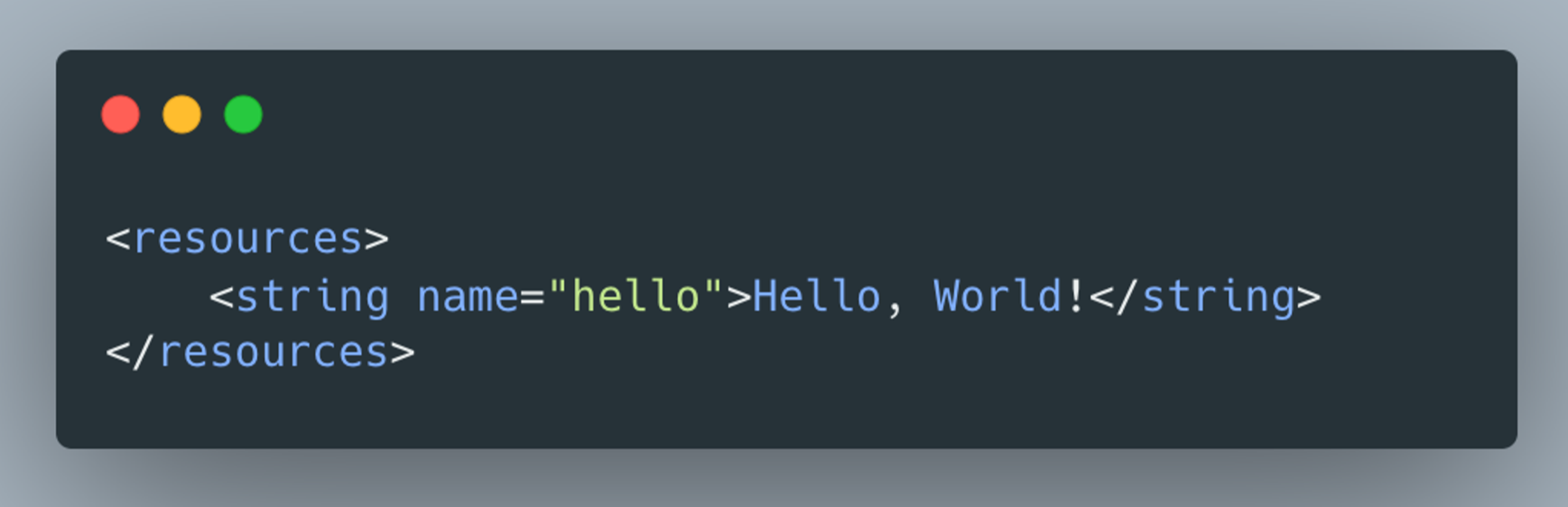
Now, you want to access this string in your code. Here's what that might look like:
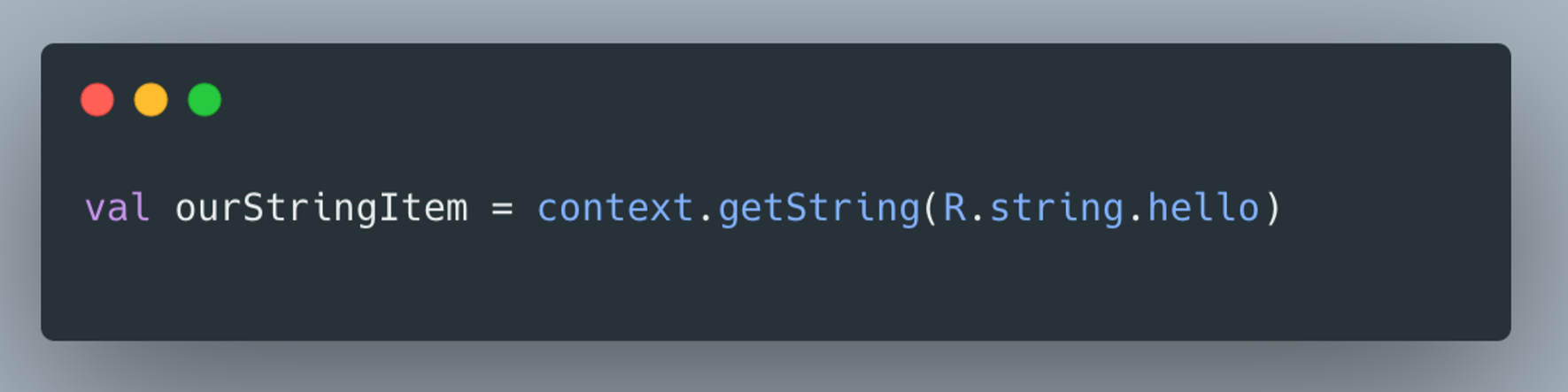
To get this string, you first need to use Context. But why?
Why Context is Necessary
Android stores resources like strings, drawables, and colors using its framework. When you create a resource file, the Android framework handles its storage. But when you want to retrieve this file, you need to ask the system for it. Here’s where Context comes in.
Context is your gateway to the Android system—it allows you to communicate with the operating system to access resources, services, and more.
Think of it like communicating with a friend. To reach them, you use your mobile phone, which acts as a bridge. Similarly, Context is the bridge between your app and the Android system.
In summary: Context is the bridge between you and the operating system.
Why Views Need Context
Every view in Android requires Context. Why? Because views often need to access system resources—like colors, strings, or the current app mode (light or dark). To retrieve these resources, the view needs to communicate with the system, which is done through Context.
Different Types of Context in Android
Android provides five main types of Context:
Application Context
Activity Context
Service Context
BroadcastReceiver Context
Content Provider Context
You're probably most familiar with Application and Activity contexts, as they're the ones you use most frequently. However, each type serves a different purpose and provides access to different system resources.
Misconceptions About Memory Leaks
A common concern when using Context is avoiding memory leaks. Let’s go through two scenarios:
Scenario 1: Accessing SharedPreferences in an Activity
If you use getApplicationContext() to access SharedPreferences, will it cause a memory leak? No, it won’t.
Scenario 2: Holding a Reference to an Activity in the Application Class
If you hold a reference to an Activity in your Application class, will it cause a memory leak? Yes, it will. The garbage collector can’t reclaim the memory used by the Activity if the Application class holds a reference to it, leading to a memory leak.
This highlights the importance of using the right Context in the right situation.
Responsibilities of Different Contexts
Each type of Context has specific responsibilities. For example:
- The Application Context cannot start a dialogue. Let’s see what happens when you try:
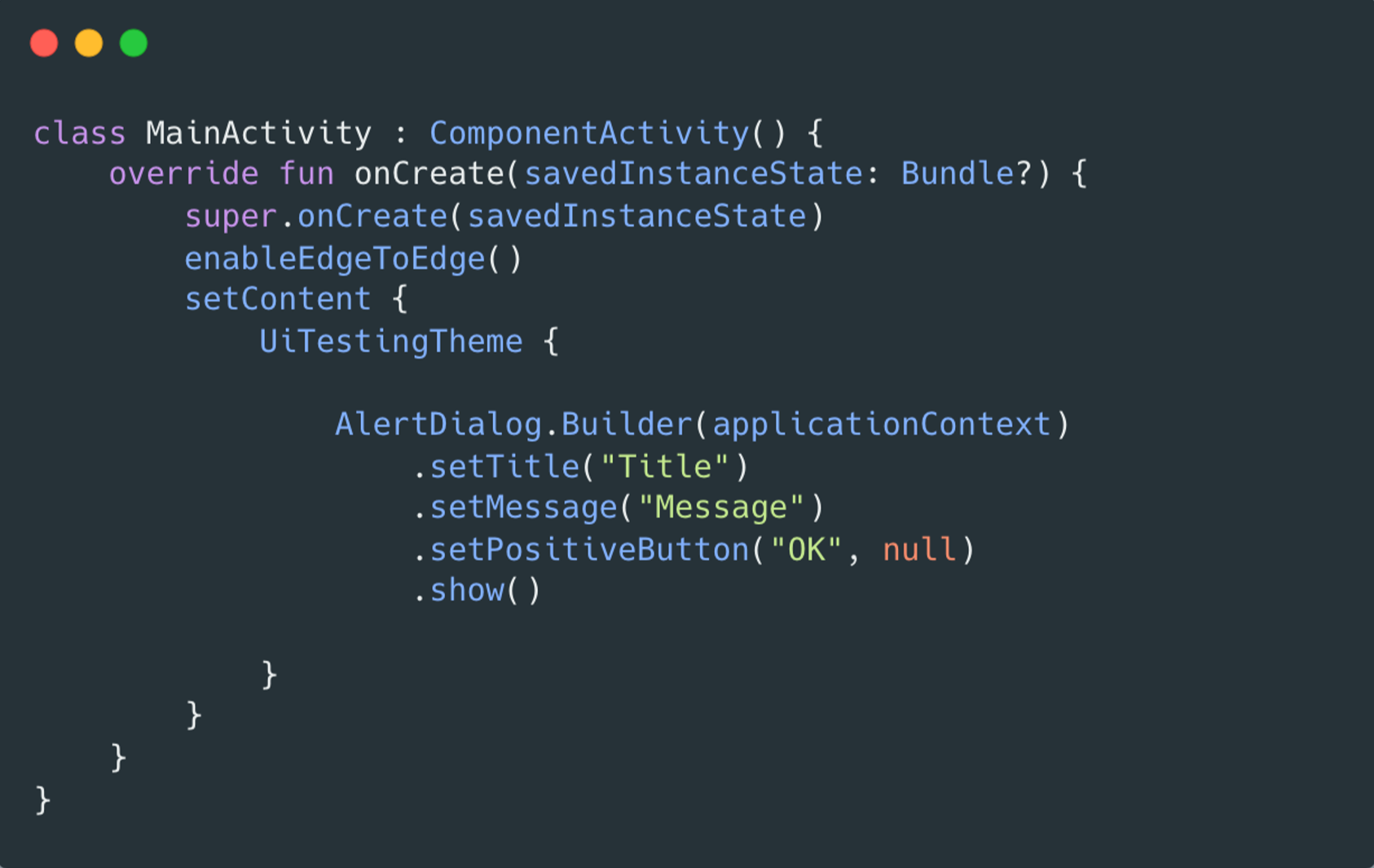
When you run this code, you’ll get the following error:
android.view.WindowManager$BadTokenException: Unable to add window -- token null is not valid; is your activity running?
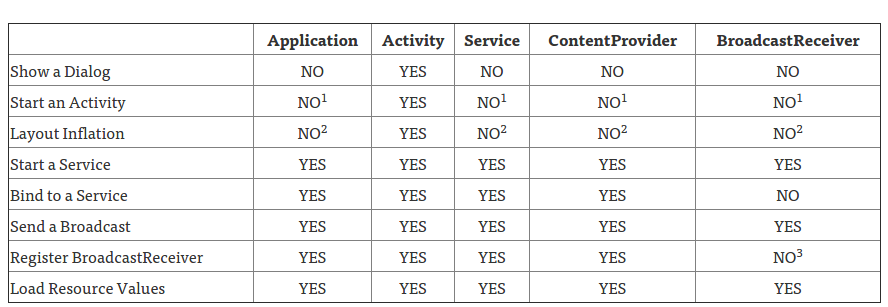
This shows that each Context type has specific limitations and responsibilities. Here’s a table that outlines what each type of Context can and cannot do:
Comments
Join the discussionNo comments yet. Be the first to comment.


