
AWS Lambda for Beginners: A Practical Guide to Serverless Basics, Pricing, and Common Pitfalls

AWS Lambda is often one of the first services developers encounter when stepping into the world of serverless architecture. It bears promises of automatic scaling, no servers to manage, and a usage-based pricing model—all while letting you focus purely on writing code. Sounds simple, right? In practice, Lambda is powerful and approachable, but it also comes with concepts and pitfalls that can confuse beginners if they’re not explained clearly.
This article is written for beginners and focuses on clarity and practical understanding of basic and simple lambdas, rather than diving deep into internal implementation details and optimizations. If you are already familiar with the basics and looking for more advanced reading on lambda optimizations, click here.

For this guide, we’ll be discussing
What Is AWS Lambda?
What Does Serverless Mean?
Why Use AWS Lambda?
Core Lambda Concepts
Lambda Execution Lifecycle
Creating Your First Lambda Function
How Pricing Works
Common Errors
Lambda Drawbacks & Limitations
What Is AWS Lambda?
AWS Lambda is a compute service and a core building block of serverless architectures. Unlike traditional servers, it puts your code at the center of focus by allowing you to run it without provisioning or managing any servers.
You simply upload your code, define when it should run and AWS handles:
Server provisioning
Scaling
Availability
Infrastructure maintenance
In addition, you are charged only when your code runs.
What Does Serverless Mean?
Serverless doesn’t mean there are no servers.
It means:
You don’t manage servers
You don’t worry about capacity
You don’t scale manually
AWS owns the infrastructure; you own the code.
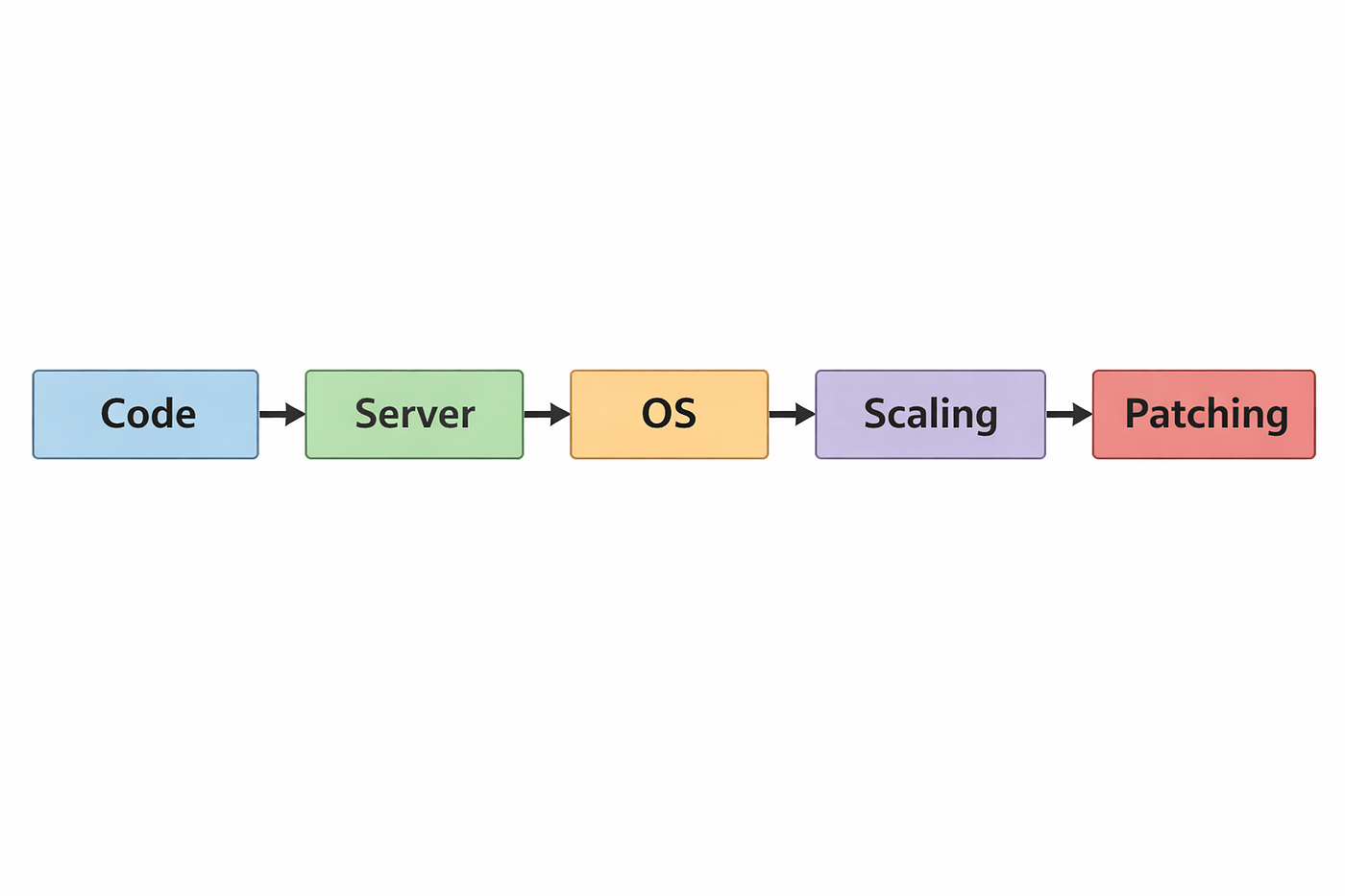
Traditional vs Serverless
Traditional App
Serverless App
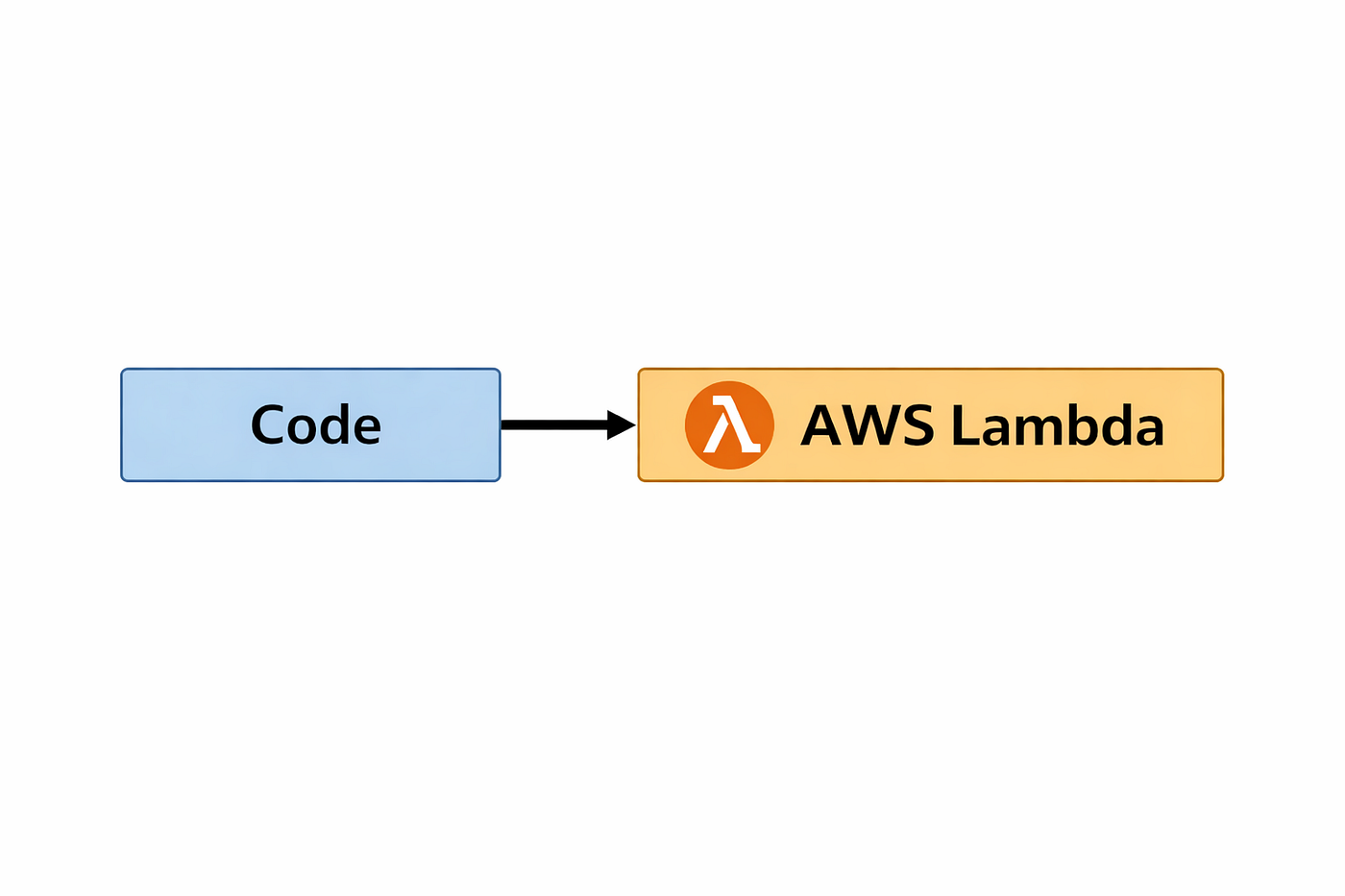
This shift allows teams to move faster and put more focus on business logic.
Why Use AWS Lambda?
Lambda is ideal when you want to:
Build quickly
Scale automatically
Reduce operational overhead
Pay only for usage
Common Use Cases
APIs (With API Gateway)
File processing (S3 events)
Background jobs
Scheduled tasks (cron jobs)
Event-driven microservices
Core Lambda Concepts
Before writing your code and using Lambda, you need to understand a few terminologies and fundamentals.
Execution Role
An IAM role that defines what your Lambda is allowed to access.
Function
The unit of code you deploy and execute in AWS Lambda.
Handler
The entry point AWS calls when the function runs.
export const handler = async (): Promise<string> => {
  return "Hello from Lambda";
};
Event
The input passed to your function to trigger it (HTTP request, S3 event, message, etc.).
Trigger
The AWS service that invokes your function.

Lambda Execution Lifecycle
Understanding the lifecycle helps you avoid performance and cost issues.
1. Cold Start
AWS creates a new execution environment
Your code is loaded
Initialization code runs
2. Invocation
The handler function is executed
Your logic processes the event
3. Warm Start
The environment may be reused if the Lambda finishes execution and hasn’t expired yet (still within its TTL).
Execution is much faster
Code outside the handler runs once per environment, not per request.

Creating Your First Lambda Function
At a high level:
Open the AWS Lambda console
Create a new function
Choose a runtime (Node.js, Python, Java, Go, etc.)
Write or upload your code
Configure permissions
Add a trigger
Simple Example (Node.js)
import { APIGatewayProxyEvent} from "aws-lambda";

export const handler = async (event: APIGatewayProxyEvent): Promise<APIGatewayProxyResult> => {
  return {
    statusCode: 200,
    body: JSON.stringify({
      message: "Hello from AWS Lambda 🚀",
    }),
  };
};
Once deployed, this function can be invoked via an API or event.
How Pricing Works
AWS Lambda pricing is based on actual usage, not idle time.
1. Invocations
You pay per function call.
2. Execution Duration
You pay for:
Memory allocated
Execution time (milliseconds)
Cost = Invocations + (Memory × Execution Time)
Important notes:
More memory also means more CPU
Faster execution can reduce total cost
Free tier covers many small projects
Common Errors
Cannot find module
I like to think of this as AWS Lambda’s welcome message—one of the first and most common errors you’ll hit as a new Lambda user. This typically occurs when:
Dependencies weren’t included in the deployment package (
node_modulesmissing or incomplete)The build output is incorrect or bundled incorrectly for Lambda
Runtime versions don’t match
The module is not included in the deployment package
The module name or import path is incorrect
Tip: Always inspect what gets deployed.
Permission Errors (Access Denied)
Permission errors mainly occur when lambdas try to perform certain actions that extend to other services and are caused by:
Missing IAM permissions
Incorrect execution role
Note: If Lambda can’t access a service, check IAM first.
Timeout Errors
Lambda has a configurable timeout. Long‑running tasks may require:
Increasing timeout
Breaking work into smaller async tasks
Lambda Drawbacks & Limitations
With all the amazing features that Lambda offers, unfortunately, like everything else, it is not all sunshine and rainbows. There are cons that you have to deal with when using lambda and understanding its limitations early will save you from painful refactors later.
Cold Starts
Noticeable delay for user-facing APIs
Worse with heavy dependencies or VPC-enabled Lambdas
Bad choice when building latency-sensitive APIs
Alternative services: AWS App Runner, ECS / EC2
Execution Time Limits
Lambda functions have a maximum execution time (15 minutes).
Not suitable for long-running tasks
Jobs can’t “just keep running.”
Bad for Background tasks that may run for hours (Video encoding or large file processing or Long ETL jobs)
Alternative services: AWS Batch, Fargate, ECS / EC2
Limited Local State & Ephemeral Environment
Lambda execution environments are stateless by design.
Why it matters:
You can’t rely on in-memory state between invocations
The filesystem is temporary
Alternative services: Use it with DynamoDB to persist state, ECS / EC2
Debugging & Observability Can Be Tricky
Debugging distributed, event-driven systems is harder than debugging a single server.
Common challenges:
Logs scattered across CloudWatch
Harder to reproduce issues locally
Tracing async flows requires extra tooling
The points above make Lambda a poor choice if:
Your app relies heavily on local caching
You need session-based or sticky state
You’re porting a legacy monolith that assumes persistent memory
Your team is new to cloud-native debugging
Alternative services: OpenTelemetry, ECS / EC2 for familiar debugging patterns and tooling
Closing Thoughts
AWS Lambda is a cornerstone of the AWS ecosystem. Once you understand its execution model and lifecycle, it becomes a powerful tool for building scalable, event-driven architectures while significantly reducing operational complexity. That said, it’s important to remember that Lambda is not a silver bullet and isn’t the right fit for every use case.
Resources
Comments
Join the discussionNo comments yet. Be the first to comment.


